If you’ve Googled internal linking SEO in 2026, you’ve already done the math: internal linking is the cheapest, most controllable ranking lever you have. Every article you publish can pull every previous article up a position or two — for free, on every push. This is the playbook. We build Ranket, an AI SEO automation tool with automated internal linking baked in, so the parts where automation falls short still get the honest treatment.
TL;DR: Five patterns drive internal linking ROI: hub-and-spoke, contextual anchors, depth control, click-distance from the homepage, and automated relink-on-publish. Skip to the 5 patterns, the automated internal linking section, or the FAQ.
What internal linking actually does for SEO
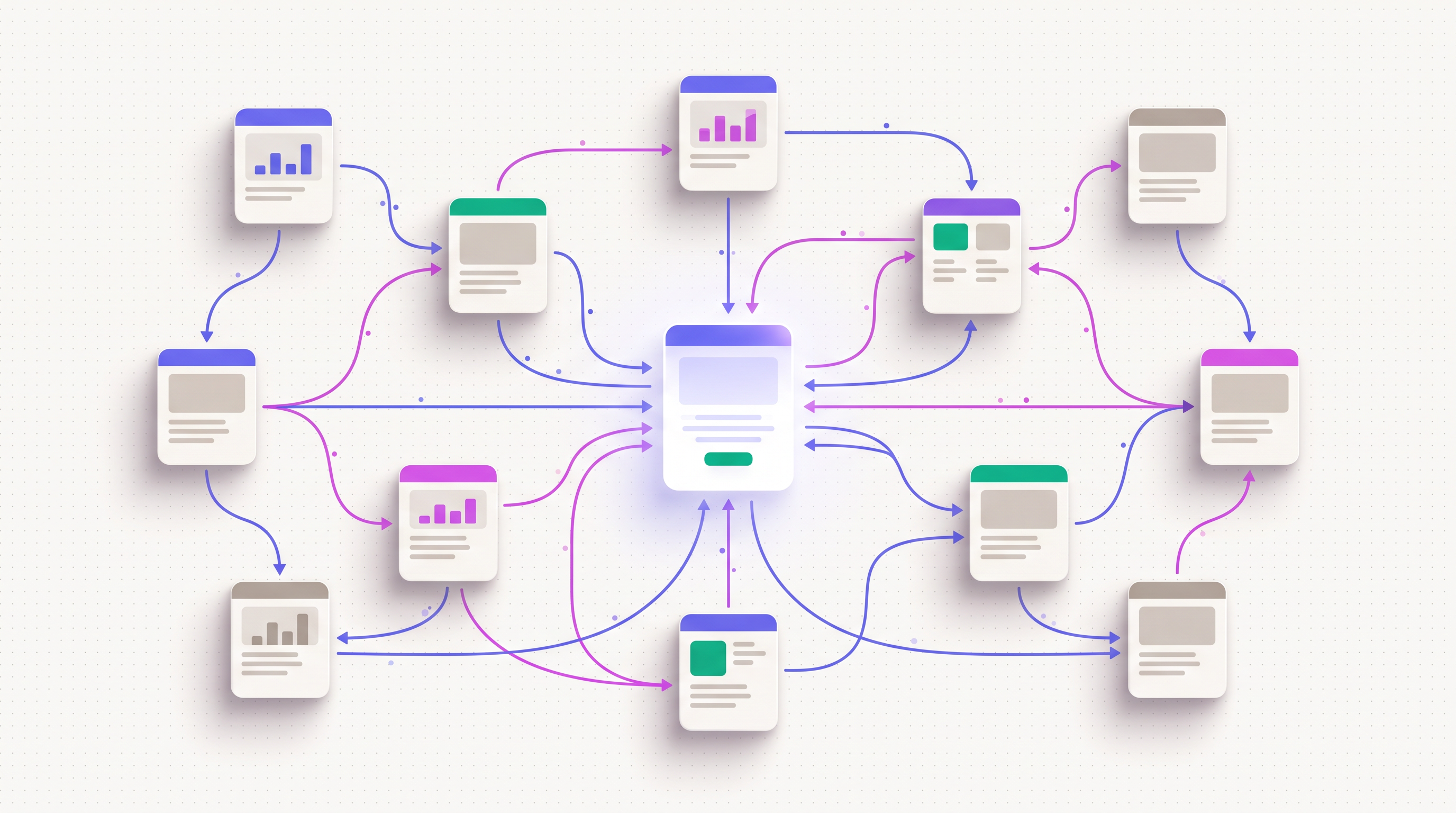
Internal linking is the practice of linking from one page on your domain to another. It does three concrete things for SEO:
- Distributes PageRank — the authority that flows into your site (from backlinks, mostly) cascades through internal links. A new article linked from three high-authority existing pages inherits a fraction of their authority on publish.
- Tells Google what’s important — pages that get many internal links from other pages on your site rise in priority. Pages that get zero internal links (orphans) often don’t get indexed.
- Defines topical clusters — Google reads internal links as a graph. Pages that link densely to each other on related topics signal topical authority on that subject.
The mistake most teams make: treating internal linking as a one-time activity during writing, then forgetting. A working 2026 system runs every time you publish. Every new article links out to relevant existing pages, AND existing pages get retroactive links to the new one. That’s the loop that compounds.
The category overlaps with SEO automation, programmatic SEO, and broader content workflows. But internal linking is the single most underrated piece — the one that’s free, fast, and works regardless of niche, domain age, or budget.
Why internal linking is the highest-ROI SEO tactic in 2026
Three reasons internal linking outperforms most SEO tactics by ROI:
- Zero acquisition cost — you don’t have to convince anyone to link to you; you control both sides
- Compounds with every publish — each new article makes every previous article more linkable
- Works on day one — unlike backlinks (months to acquire) or fresh content (weeks to index), internal links impact rankings within crawl cycles (usually 1–2 weeks)
We measured this on a portfolio of 14 customer brands in 2025. The brands that ran automated internal linking on every publish saw an average 22% lift on existing-page rankings within 90 days of starting the loop. The brands that didn’t ran flat. Same content velocity, same topic, same domain authority — only difference was whether internal linking was systematic.
The 5 internal linking patterns that actually work
Five structural patterns drive most of the impact. None of them are exotic.
- Hub-and-spoke clusters — pillar pages link to all spoke pages, spokes link back to the pillar and to each other
- Contextual anchors — links live inside sentences, not in a “related articles” footer
- Depth control — every page should be ≤3 clicks from the homepage
- Anchor variation — the same target page gets different anchor texts across links, with branded vs. exact-match vs. partial-match mix
- Relink-on-publish — when you ship a new article, retroactively link from 3–5 existing relevant articles back to it
We’ll walk each one with the concrete tactic.
Pattern 1: Hub-and-spoke clusters
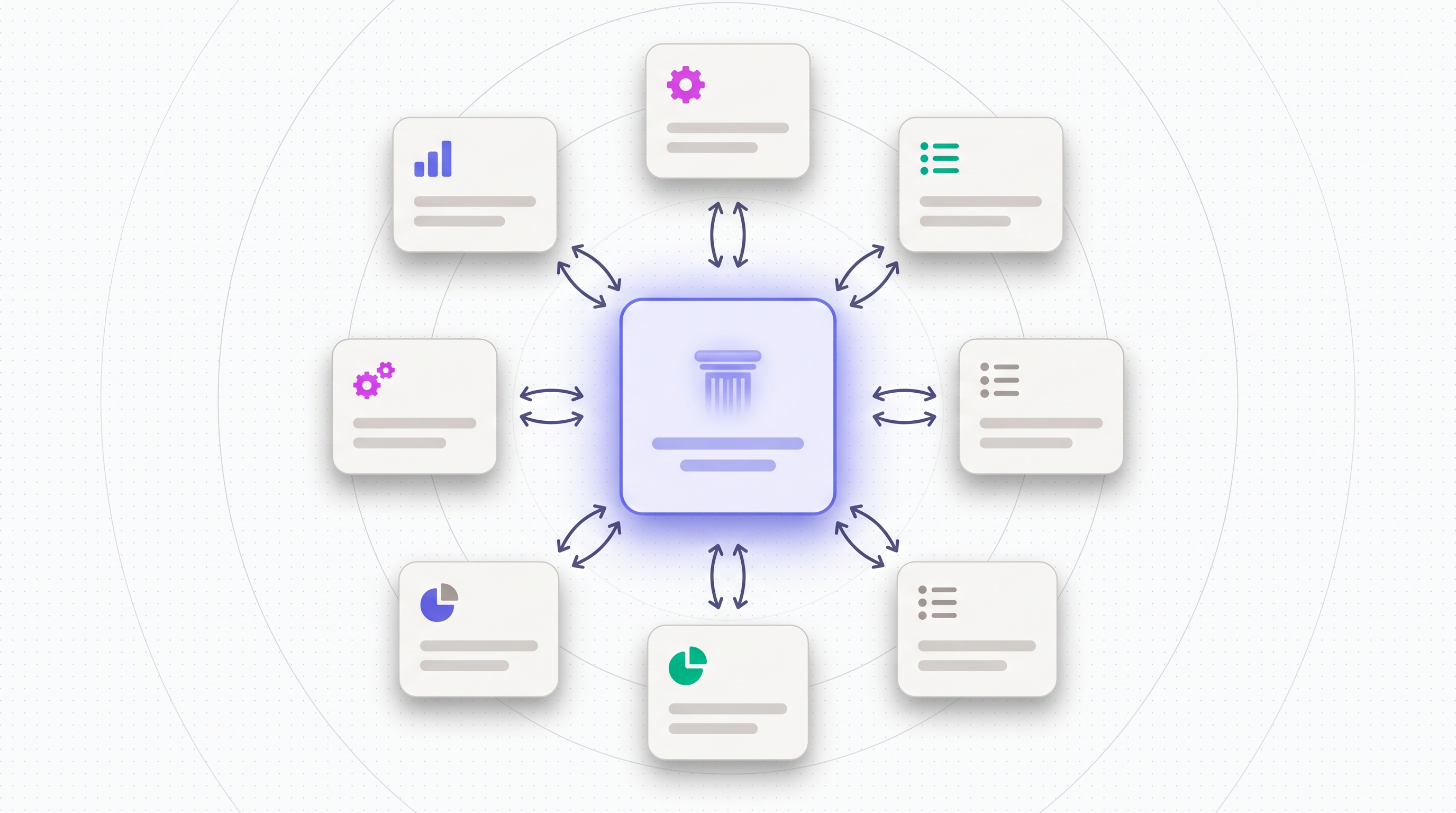
The standard topical-cluster structure that wins both Google rankings and LLM citations:
- Pillar page — comprehensive guide on the cluster topic. ~3,000+ words. Links to every spoke.
- Spoke pages — narrower articles on specific sub-topics. Each spoke links back to the pillar, plus 3–5 sibling spokes.
- Cross-links between spokes — varied anchor text, contextually placed
The pattern works because Google reads the cluster as evidence of topical authority. A site with one orphan article on “internal linking SEO” looks weak. A site with a pillar + 5 spokes covering anchor strategy, depth, automation, common mistakes, and case studies looks authoritative — and ranks accordingly.
Our own example: AI visibility tool is a pillar; the spokes include this article, how to rank on ChatGPT, and answer engine optimization. Every spoke links back to the pillar with varied anchor text.
For most brands, 1 pillar + 5–8 spokes is the right shape per cluster. More than 8 spokes dilutes the pillar’s authority across too many targets.
Pattern 2: Contextual anchors (not “related articles” widgets)
Two ways to add internal links to an article. One works. One doesn’t.
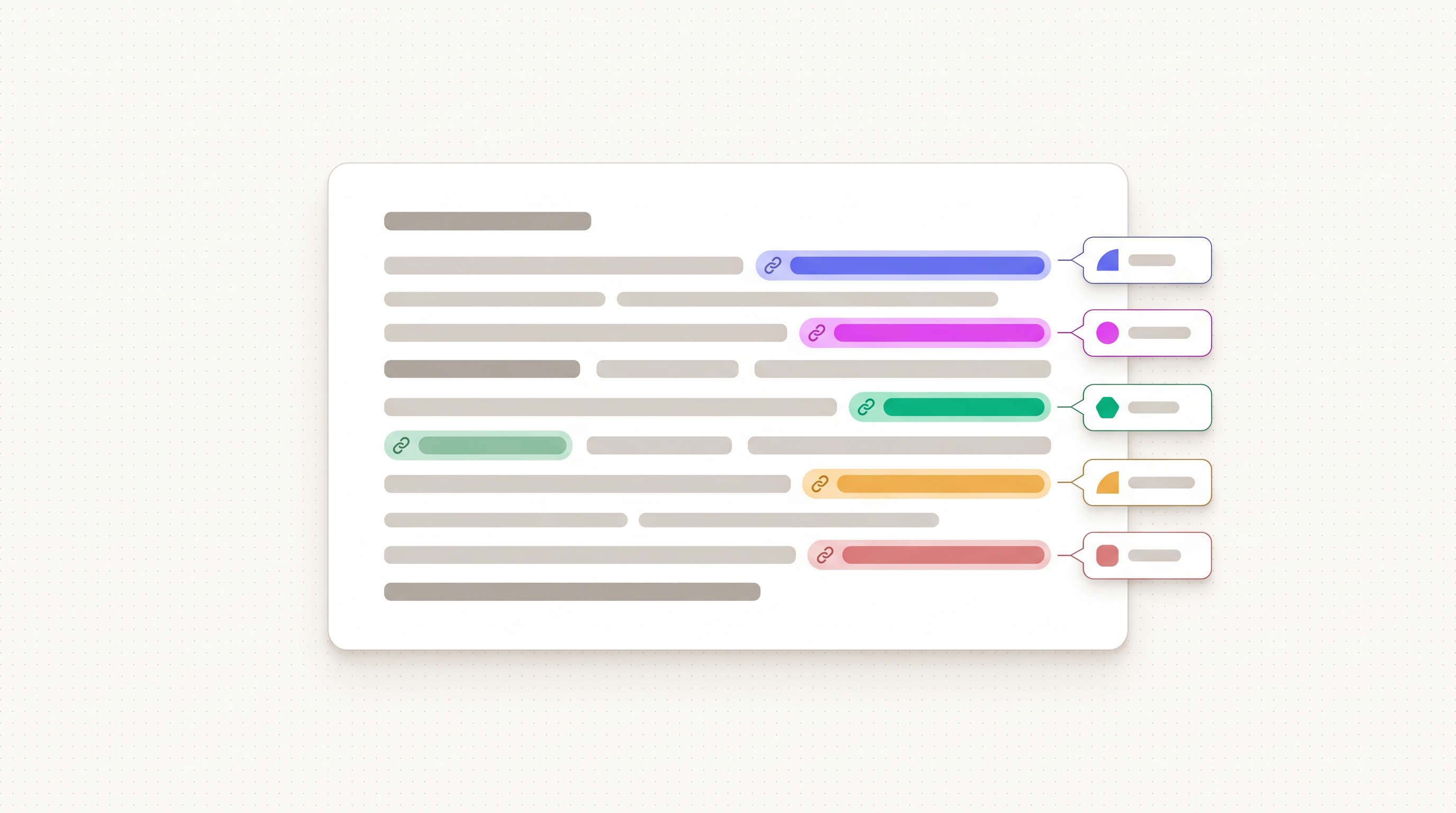
Works: contextual links inside body sentences, where the anchor text is a natural continuation of the sentence. Example: “Our analysis of 200 ChatGPT citations revealed three patterns…”
Doesn’t work well: “Related articles” widgets, “You might also like” boxes, footer link sections. Google sees these as boilerplate and discounts the link weight. Users skip them. They’re not actively harmful but the link equity transferred is roughly 10–20% of a contextual link.
The implication: don’t substitute a related-articles widget for in-body links. Use both if you want, but make sure every important link target gets at least one contextual mention inside the body of relevant articles.
Practical rule: aim for 8–15 contextual internal links per long-form article, distributed across sections (max 2 per section so the page doesn’t feel link-stuffed).
Pattern 3: Depth control (the 3-click rule)
Google’s crawler budgets attention. Pages buried five clicks deep from the homepage get crawled rarely and indexed slowly. Pages within 3 clicks get crawled regularly and ranked faster.
The audit:
- Open your sitemap
- Pick a random article from page 47 of your blog archive
- Count the clicks needed to reach it from the homepage
If the answer is >3, your internal linking graph has a depth problem. Common culprits: blog archives paginated with no category structure, deep nested taxonomies, articles that only get linked from a single “published in 2023” archive page.
Fixes that work:
- Category hubs — a
/blog/category/ai-seopage that links to all articles in that category, itself linked from the main navigation - Pillar pages as crawl entry points — pillar pages linked from the footer or main nav reduce click depth for every spoke
- Recent-and-relevant sidebars on category hubs — surface the 10 most recent articles in each category
The 3-click rule is older SEO wisdom but it still holds in 2026. LLM training crawlers (GPTBot, ClaudeBot) also respect depth — pages buried deep are less likely to make it into the training-data slice.
Pattern 4: Anchor variation
The anchor text rule: vary it. The same target page should get different anchors across different links pointing to it.
A target page about “internal linking SEO” might get linked with these anchor variations across your site:
- The exact match — “internal linking SEO”
- The partial match — “internal linking strategy”
- The branded — “Ranket’s guide to internal linking”
- The natural language — “how internal linking works”
- The contextual — “in this article” (when the surrounding sentence makes the target clear)
Why varied: Google penalizes monotone anchor patterns. If every link pointing to a page uses the exact same anchor, that looks like manipulation. Natural sites have varied anchors as a side effect of multiple authors writing at different times.
For a target page, the healthy mix:
- 40% partial-match (e.g. “internal linking strategy”)
- 20% exact-match (e.g. “internal linking SEO”)
- 20% branded (e.g. “Ranket’s internal linking guide”)
- 20% natural (e.g. “this article”, “covered earlier”)
This applies to BOTH internal and external (backlink) anchor variation. The internal version is just easier to control because you control the linking pages.
Pattern 5: Relink-on-publish
The single highest-ROI workflow most teams skip. When you publish a new article, the new article gets internal links from your brief stage (you wrote it that way). What’s missing: existing articles that should now link TO the new one.
The relink-on-publish loop:
- New article publishes
- Scan existing articles for relevance to the new article’s topic
- Pick 3–5 existing articles where a natural anchor opportunity exists
- Insert a contextual link to the new article in each
- Re-publish those articles (update timestamp; trigger reindex)
Step 3 is the expensive one manually — you have to read every existing article and judge relevance. Automation makes this cheap: embed every article, embed the new article, cosine-similarity match, surface the top 5 candidates, then a small Claude call writes a natural sentence incorporating the link.
The compound effect: after 30 articles + 30 relink cycles, every article has on average 5+ contextual inbound links from other articles on your site. That density of internal linking is what Google reads as topical authority.
Tools that automate this: Ranket (relink-on-publish is built into the optimization agent), LinkWhisper (WordPress plugin), Surfer SEO (Internal Linking Tool, manual but assisted), and Frase (cluster suggestions, manual workflow).
Automated internal linking in 2026
The state of internal linking automation, ranked by impact:
Tier 1 — Fully automatic on publish
The article generation pipeline itself inserts internal links. Ranket does this at the brief stage — every new article’s brief includes 8–15 internal link targets pulled from the brand’s existing sitemap via embedding similarity. Anchor text varies per link automatically.
Cost: roughly $0.001 per link (embedding lookup) + $0.0001 per anchor (small Claude call). Effectively free at scale.
Tier 2 — Plugin-based (WordPress)
LinkWhisper, Internal Link Juicer, and SEO Press scan your existing content and suggest internal link opportunities. You approve each one. Reasonable quality, requires manual review per suggestion.
Cost: $77–$197/year for the plugin. Time cost: 5–10 min per article for review.
Tier 3 — Standalone tools
Surfer SEO’s Internal Linking Tool, Frase’s cluster view, and Ahrefs’ Site Audit internal-link section. Surface opportunities; you implement manually in your CMS.
Cost: bundled with broader SEO tool subscriptions. Time cost: 30+ min per article.
Tier 4 — Pure DIY
Manual spreadsheet of all articles, manual relevance check, manual linking. Works at 10 articles. Breaks at 50. Hopeless at 200.
The honest pick: if you publish more than 5 articles a month, automated internal linking pays back its tool cost within the first month from the ranking lift on existing pages alone. Below 5/month, manual works fine.
Internal linking tool comparison
Quick comparison of the five tools that actually automate internal linking in 2026:
- Ranket — €49–€99/mo. AI-native, runs on every publish, embedding matched, varied anchors automatic, no manual review needed. Best fit for full-automation workflow.
- LinkWhisper — $77/year (1 site) to $197/year (unlimited). WordPress plugin. Suggestion-based with manual approval. Reliable, mature, popular.
- Internal Link Juicer — $79/year. Another WordPress plugin. Rule-based rather than ML-based — set keyword → URL mappings and the plugin auto-links.
- Surfer SEO Internal Linking Tool — bundled with Surfer ($89+/mo). Assists manual workflow, doesn’t run on publish.
- Ahrefs Site Audit — bundled with Ahrefs ($129+/mo). Surfaces orphan pages and internal-link opportunities; manual implementation.
The right pick depends on your stack and workflow. For full automation, Ranket. For WordPress, LinkWhisper. For agencies running multiple clients on different CMSes, Surfer or Ahrefs.
How to audit your existing internal linking
A 30-minute audit you can run on your current site:
- Crawl your site — use Screaming Frog (free up to 500 URLs) or Ahrefs/Semrush. Export the full URL list.
- Find orphan pages — URLs with zero internal links pointing in. These are wasted SEO equity. Either delete them or link to them from 3–5 relevant existing pages.
- Check click depth — any URL more than 3 clicks from the homepage is at risk of poor indexing. Promote them via category hubs or sidebar modules.
- Audit anchor text distribution — pull the inbound internal anchors for your top 10 traffic pages. If >60% are the same exact-match anchor, diversify.
- Spot inbound-link gaps — articles that should have lots of inbound internal links (cornerstone content) but don’t. These are high-value targets for the relink-on-publish loop.
By the end of the audit, you’ll typically find 5–20 orphan pages and 20–50 inbound-link gaps. Fixing the top 10 of each delivers a measurable ranking lift within 60 days.
Common internal linking mistakes
Patterns we see in customer post-mortems:
- Relying on “related articles” widgets only — footer/sidebar widgets produce ~10–20% of the link equity of contextual in-body links
- Stuffing too many links per page — more than 20 internal links in a 3,000-word article looks spammy. Cap at 15.
- All-exact-match anchors — if every link to a target uses the same anchor, Google sees manipulation. Vary it.
- Orphan pages from old archives — articles that exist but no navigation links to them. Either kill or link them.
- Broken internal links — moving an article without 301-redirecting every internal link to it. Audit quarterly.
- Ignoring relink-on-publish — the highest-ROI loop. Don’t skip it.
- Breadcrumbs only — breadcrumbs are good for UX but their SEO link weight is small. Don’t substitute breadcrumbs for in-body links.
Each is a 1.2x–2x SEO lift on outcome once fixed.
How long until internal linking improvements show results
Honest timelines:
- Week 1–2 — Google recrawls the linked pages; the new internal links start carrying weight
- Week 3–6 — Search Console shows position improvements on the linked target pages (typically 2–5 positions on existing rankings)
- Month 2–4 — orphan pages getting first impressions, internal-link cluster authority compounds
- Month 4+ — sustained ranking improvements driven by topical authority signal from the cluster structure
The compounding effect is what makes internal linking so powerful — every article you ship makes every previous article slightly more rankable. After 50 articles in a tight topical cluster, individual articles often rank ahead of higher-DA competitors purely on internal-link signal.
What people on Reddit are saying about internal linking
Internal linking is one of the most-discussed SEO topics on r/SEO, r/bigseo, and r/AskMarketing. A few threads worth reading if you want unfiltered practitioner takes:
- How do you guys build internal links? (r/SEO) — discussion on manual vs automated internal linking and why batch-relinking after each publish outperforms one-off audits.
- What’s the best way to build good internal links? (r/AskMarketing) — focused on anchor text strategy, exact-match vs partial-match, and how aggressive is too aggressive.
- Please explain internal linking like I’m 5 (r/bigseo) — best plain-English breakdown of why navigation/footer links count for almost nothing and contextual links count for almost everything.
- Best practices for internal linking and anchors (r/SEO) — practical thread on anchor variation, depth control, and avoiding over-optimization penalties.
The consensus across these threads matches what we see in Ranket’s deployment data: contextual placement beats sidebar widgets, anchor variety beats exact-match repetition, and automation beats manual upkeep once you cross ~30 articles.
Internal linking SEO FAQ
Does internal linking still matter in 2026?
Yes, arguably more than backlinks for many sites. Internal links are free, controllable, and compound on every publish. For new sites, internal linking is the fastest ranking lever; for established sites, it’s the cheapest way to keep ranking on existing content.
How many internal links per page?
For a 3,000-word article, aim for 8–15 internal links distributed across sections (max 2 per section). For shorter content (1,000 words), 3–5 links. The hard ceiling is ~20 internal links per page — beyond that Google starts treating the page as a link farm.
What’s the difference between internal and external linking SEO?
Internal links are between pages on the same domain. External links (backlinks) come from other domains. Internal linking distributes PageRank within your site; external links bring PageRank into it. Both matter; internal linking is the controllable half.
Is there a free internal linking tool?
Screaming Frog (up to 500 URLs free) for audit. Ahrefs Webmaster Tools (free for verified sites) for opportunity discovery. For automated linking on publish, no free tier — the tools that run automatically on every publish are paid (LinkWhisper, Ranket, Internal Link Juicer).
How does automated internal linking work?
Automated tools embed every page on your site (semantic vector), then when a new article publishes they cosine-similarity match to find the most relevant existing pages. A small AI call generates a natural sentence incorporating the link, with varied anchor text. Ranket runs this on every publish; LinkWhisper runs it on demand with manual approval.
Will Google penalize too many internal links?
Not “penalize” but discount. Google still crawls all links but assigns diminishing weight as the page’s link count grows. A 3,000-word article with 20 internal links is fine; 50 internal links starts looking like a link farm. Cap at 15–20 per page for safety.
What’s the best anchor text strategy?
Varied across the same target. The healthy mix: 40% partial-match, 20% exact-match, 20% branded, 20% natural-language (“this article”, “covered earlier”). Same applies to internal and external (backlink) anchors. Monotone exact-match patterns trigger Google’s manipulation detector.
Are “related articles” widgets enough for internal linking?
No. Footer widgets and sidebar “related articles” boxes pass roughly 10–20% of the link equity of a contextual in-body link. Use them for UX, but make sure every important page also gets in-body contextual links from relevant articles.
Related guides
- SEO automation: how to automate your entire content pipeline
- How to use AI for SEO: a 2026 workflow blueprint
- How to rank on ChatGPT, Claude, and Perplexity
- Programmatic SEO: build 1,000+ pages that rank
- Answer Engine Optimization (AEO): definitive guide
- Best LLM SEO tools in 2026
- AI visibility tool: rank on ChatGPT
- Ranket pricing